
Unicamp Preloader

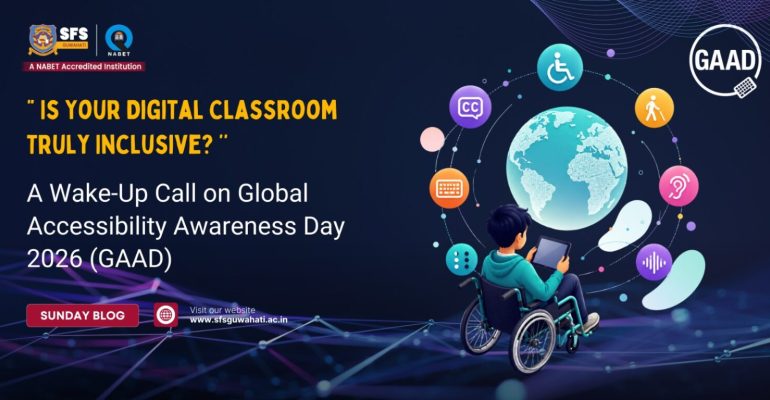
“ Is Your Digital Classroom Truly Inclusive? ’’ A Wake-Up Call on Global Accessibility Awareness Day 2026 (GAAD)
WhatsApp-Image-2026-05-15-at-8.31.48-AM-1536x768
Uncategorized

“ Is Your Digital Classroom Truly Inclusive? ’’ A Wake-Up Call on Global Accessibility Awareness Day 2026 (GAAD)

Imagine entering a classroom where everyone seems to understand the lesson except you. The teacher is explaining through a video, but you cannot hear it clearly. The presentation slides are visible to everyone else, but the font is too small for you to read. An online assignment has been uploaded, yet your screen reader cannot access the document. Slowly, frustration replaces confidence. Participation turns into silence. Now imagine living this reality every single day. This is exactly why the world observes Global Accessibility Awareness Day (GAAD) every year. Celebrated on Thursday, 21st May 2026, GAAD encourages people to talk, think, and learn about digital accessibility and inclusion for the more than one billion people worldwide living with disabilities and impairments. In a time when education is becoming increasingly digital, one important question deserves honest reflection: Are our schools truly accessible for everyone? We all need to understand that education is centred not only on academic excellence but also on values, empathy, and inclusivity. As education increasingly moves into digital spaces, it becomes important for schools, educators, and students to understand the importance of accessible learning environments. Global Accessibility Awareness Day reminds us that true education is meaningful only when every learner feels included. What is Digital Accessibility? Digital accessibility refers to designing websites, applications, online resources, and digital learning materials in ways that everyone can use comfortably and effectively. Accessibility ensures that students with visual, hearing, motor, cognitive, or learning disabilities are not excluded from digital education. Simple accessibility features can make a huge difference
  • Captions and subtitles in educational videos
  • Screen-reader-friendly websites
  • Readable fonts and proper colour contrast
  • Voice-assisted tools and audio support
  • Keyboard navigation for students with mobility challenges
  • Clear layouts and simplified instructions
When schools adopt accessible digital practices, they create learning environments where every student feels valued and included. These may appear like minor adjustments, but for many learners, they make the difference between feeling included and feeling invisible, because “Accessibility Begins with Awareness.” How Students Can Help Create Inclusive Digital Spaces Students themselves can play a major role in promoting digital inclusion within the school community. Awareness and small thoughtful actions can create meaningful change. Students can:
  • Use easy-to-read fonts in projects and presentations
  • Add captions while creating videos
  • Share organised and accessible notes
  • Speak slowly and clearly during online interactions
  • Support classmates facing learning difficulties
  • Encourage equal participation during group work

These practices help foster empathy, teamwork, and social responsibility among young learners. The Responsibility of Schools, Teachers, Students and the Community at large Accessibility is not the responsibility of technology experts alone. It is the shared responsibility of schools, educators, students, parents, and society as a whole. In a world where education is becoming increasingly digital, inclusion can no longer remain an option: it must become a collective commitment. Educational institutions play a vital role in creating awareness about accessibility and inclusion among students and staff. Schools can organise awareness drives, classroom discussions, interactive sessions, and activities that help young minds understand the importance of equal participation and inclusive technology. When schools consciously create environments where every learner feels valued, they nurture not only academic growth but also humanity and compassion. Teachers shape classroom culture every single day. Accessibility often begins with simple yet thoughtful actions, using inclusive teaching strategies, providing learning materials in multiple formats, ensuring digital platforms are easy to navigate, and encouraging participation from every learner. A truly effective classroom is not one where only the brightest students succeed, but one where every child gets the opportunity to learn with dignity and confidence. Students, too, become powerful agents of inclusion when they support classmates who learn differently, communicate patiently, and ensure that no one feels isolated or left behind. Small acts of understanding often create the biggest impact. At the same time, the responsibility extends beyond school campuses. Parents, communities, developers, institutions, and society at large must work together to create spaces, both digital and physical: that are welcoming and accessible to all. Inclusion begins when people choose awareness over ignorance and empathy over convenience. Reflecting Upon Nurturing socially responsible individuals alongside academic excellence remains central to holistic education. Observing Global Accessibility Awareness Day is not merely about acknowledging a global event; it is about encouraging reflection on the silent barriers many people continue to face every day. Perhaps the true question is not whether our classrooms are technologically advanced, but whether every learner genuinely feels included within them. Because education fulfils its real purpose only when progress belongs to everyone ‘INCLUSIVELY’.  

Leave your thought here

Your email address will not be published. Required fields are marked *

Admission Open

2026-2027
Open
Select the fields to be shown. Others will be hidden. Drag and drop to rearrange the order.
  • Image
  • SKU
  • Rating
  • Price
  • Stock
  • Availability
  • Add to cart
  • Description
  • Content
  • Weight
  • Dimensions
  • Additional information
Click outside to hide the comparison bar
Compare